Get help with a variety of tech needs
-
Choosing the right digital device. -
Increasing font size on your phone or computer. -
Setting up a Facebook account. -
Diagnosing issues with a digital device. -
Setting up email accounts. -
Connecting to Wi-Fi networks. -
Installing software updates. -
Troubleshooting internet connectivity issues. -
Managing passwords securely. -
Downloading and installing new apps. -
Understanding online security and avoiding scams. -
Setting up online banking. -
Using online shopping platforms. -
Learning how to use a smartphone. -
Mastering video call apps like Zoom or Skype. -
Navigating and using social media platforms. -
Setting up and managing a Netflix account. -
Using GPS navigation. -
Setting up a printer. -
Sending and receiving emails. -
Using cloud storage. -
Organising files on a computer. -
Using a tablet effectively. -
Sending text messages with emojis. -
Listening to podcasts. -
Exploring hobbies online. -
Online safety and privacy settings. -
Setting up a digital TV or cable. -
Using photo editing tools. -
Making online video calls. -
Booking travel or accommodations online. -
Listening to music on Spotify or Apple Music. -
Using public transportation apps. -
Using smart home devices. -
Using fitness and health apps. -
Understanding error messages on devices. -
Setting up a new computer or laptop. -
Using an iPad or other tablet. -
Understanding what to do when a device freezes. -
Registering for and using library e-services.
-
What is ChatGPT and how can I use it. -
Using a password manager. -
Resetting a forgotten password. -
Setting up and using FaceTime. -
Using QR codes. -
Using a home blood pressure monitor. -
Setting up and using digital medical alert systems. -
Sharing location with family members for safety. -
Using mobile banking apps. -
Using Google Maps or other navigation apps. -
Creating an emergency medical ID on a smartphone. -
Using the news app on a smartphone. -
Setting up two-factor authentication. -
Syncing devices with each other. -
Setting up and using Google Photos or iCloud. -
Adjusting screen brightness on devices. -
Using note-taking apps. -
Using Google Docs or Microsoft Office Online. -
Managing spam in email. -
Blocking unwanted calls or messages. -
Getting started with meditation apps. -
Ordering groceries or food delivery online. -
Using online translation tools. -
Recording a video message. -
Learning how to use eBay or other online marketplaces. -
Scanning documents with a phone. -
Setting up a Fitbit or other health trackers. -
Using an audiobook app like Audible. -
Learning to use home automation apps. -
Using an e-reader or Kindle. -
Learning how to use a smartwatch. -
Using digital personal assistant apps. -
Setting up and using a virtual reality device. -
Configuring an indoor or outdoor security camera. -
Exploring your ancestry. -
Using an online payment service like PayPal. -
Recognising and avoiding phishing attempts. -
Adjusting privacy settings on social media.
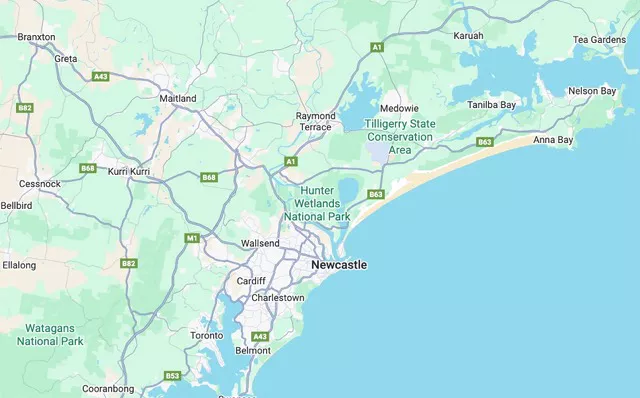
Maitland
Port Stephens
Cessnock
0420 390 134